Talk to Your Positions
Connect Claude, Cursor, or another MCP client to a tastytrade account. Ask about balances, check the market, and review positions in one place.
Why Use An MCP?
Model Context Protocol (MCP) lets an AI assistant ask outside tools for real information, instead of guessing from what it was trained on.
- It's a connection, not an app - You don't install new trading software. Your AI assistant gains a new skill to read and act on tastytrade's platform.
- Built on tastytrade's own API - The MCP server runs on the same Open API that powers tastytrade's platforms. Same data, same accounts, same rules.
- You stay in control - Nothing moves without your credentials and confirmation. The assistant can suggest, but you decide what executes.
MCP Easy As 1, 2, 3
See it. Check it. Manage it.
See the market the way your account does, with live quotes, snapshots, metrics, dividends, and earnings pulled straight from live data.
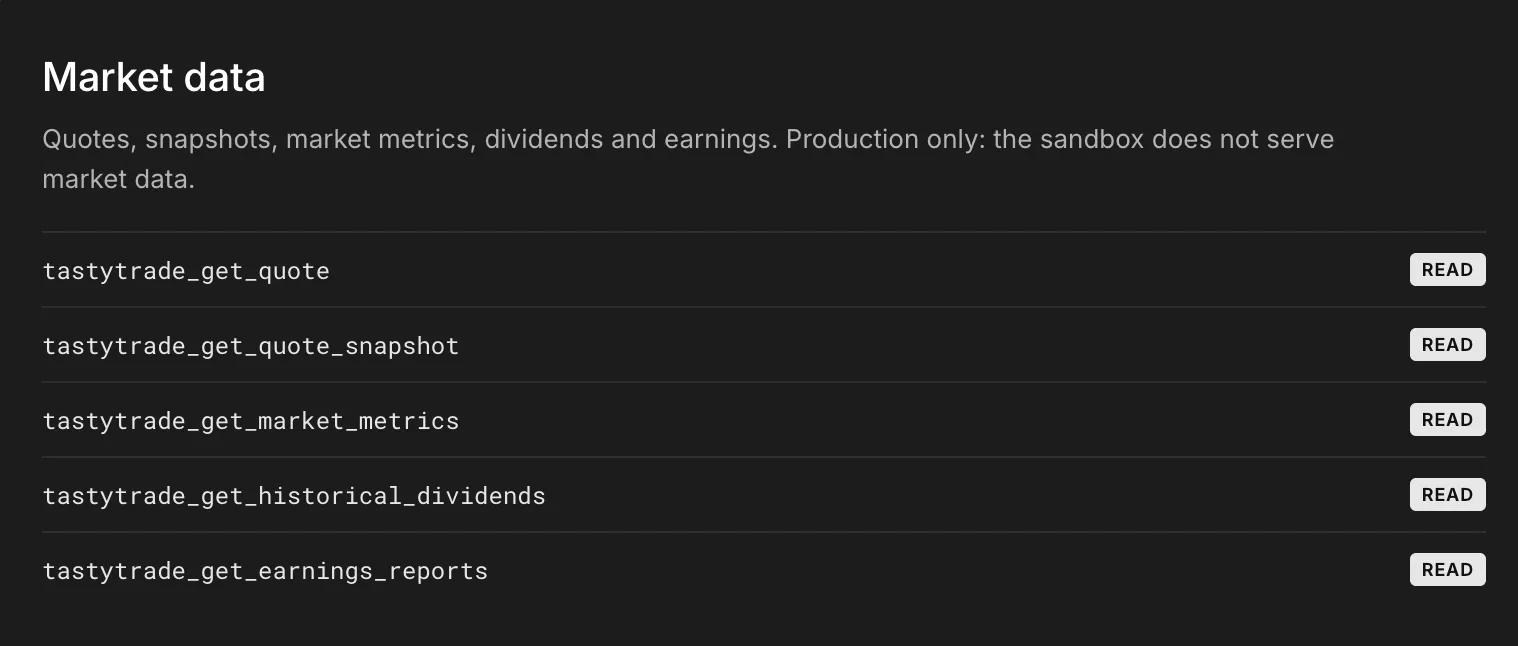
Find any equity, option, futures, or crypto instrument and pull a full option chain in one ask, no separate lookup screens needed.

Check balances, buying power, and net liquidating value across every account your credentials reach.
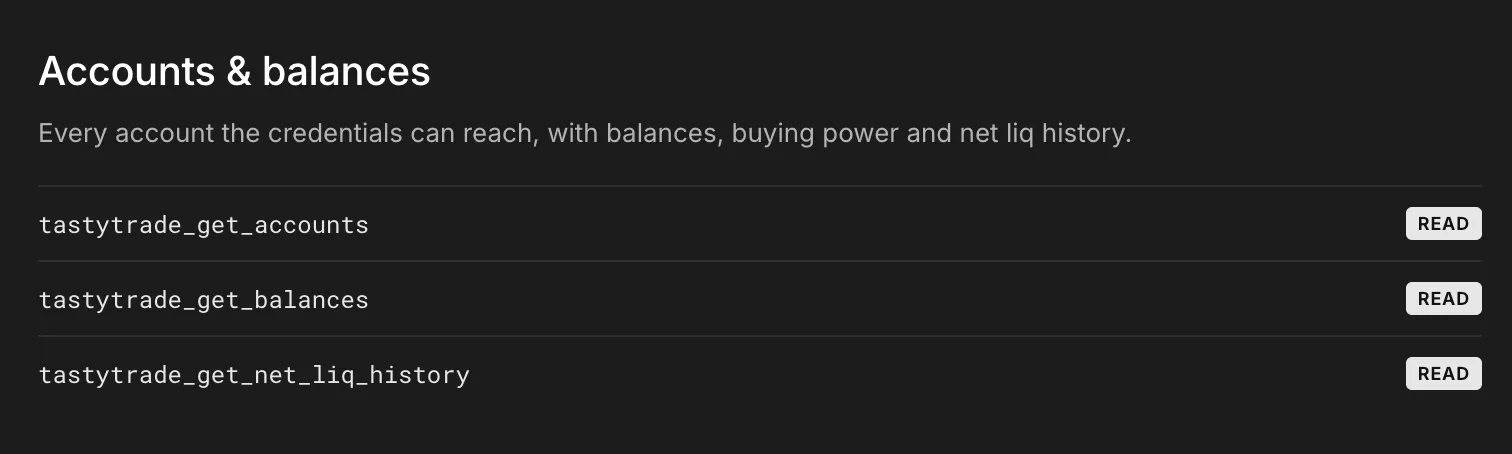
Review what you're holding with open positions and transaction history explained in plain language.

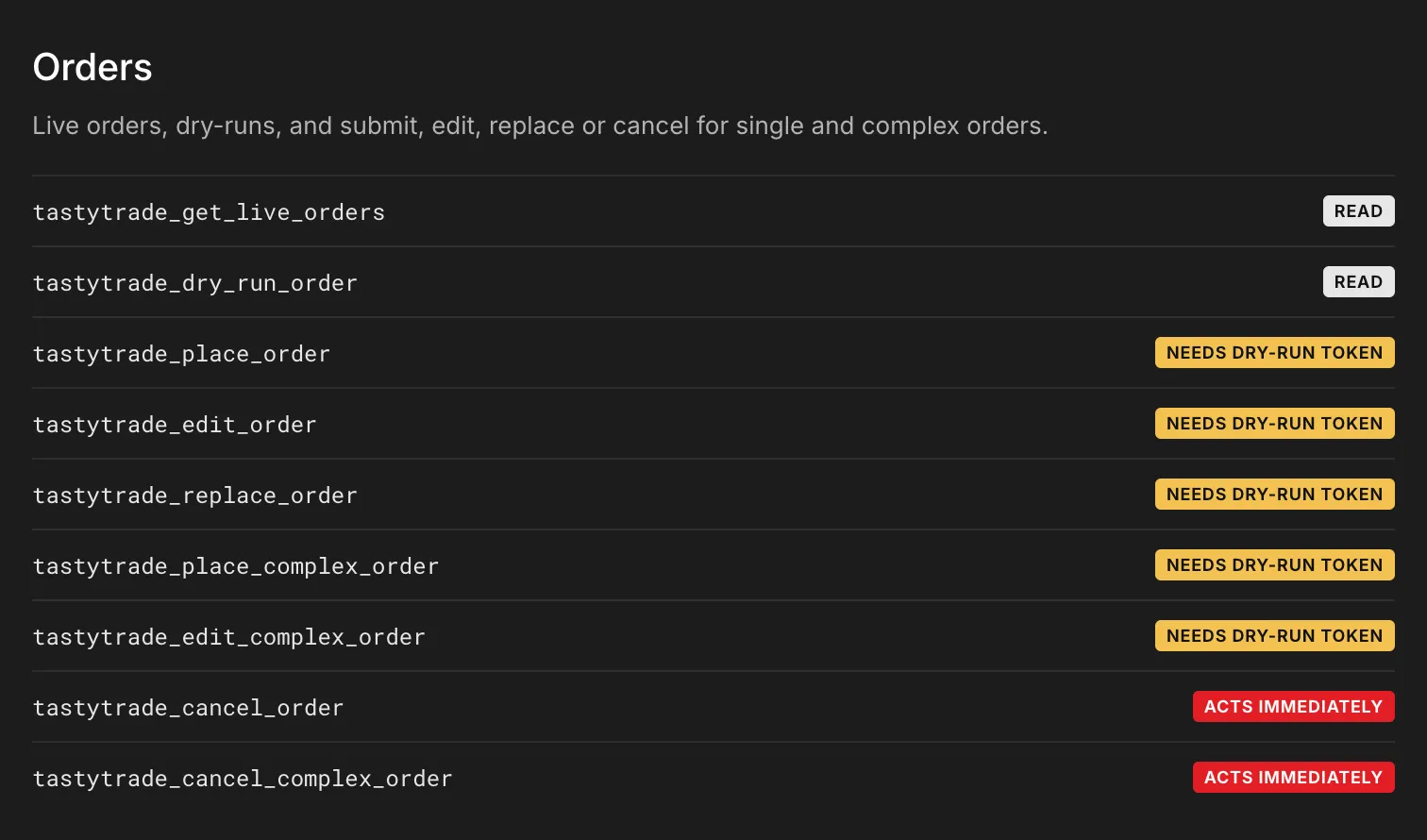
Go from idea to order with a built-in review order ticket. Every order shows you a 60-second preview. From there, you can submit, edit, replace, or cancel it, single-leg or complex.
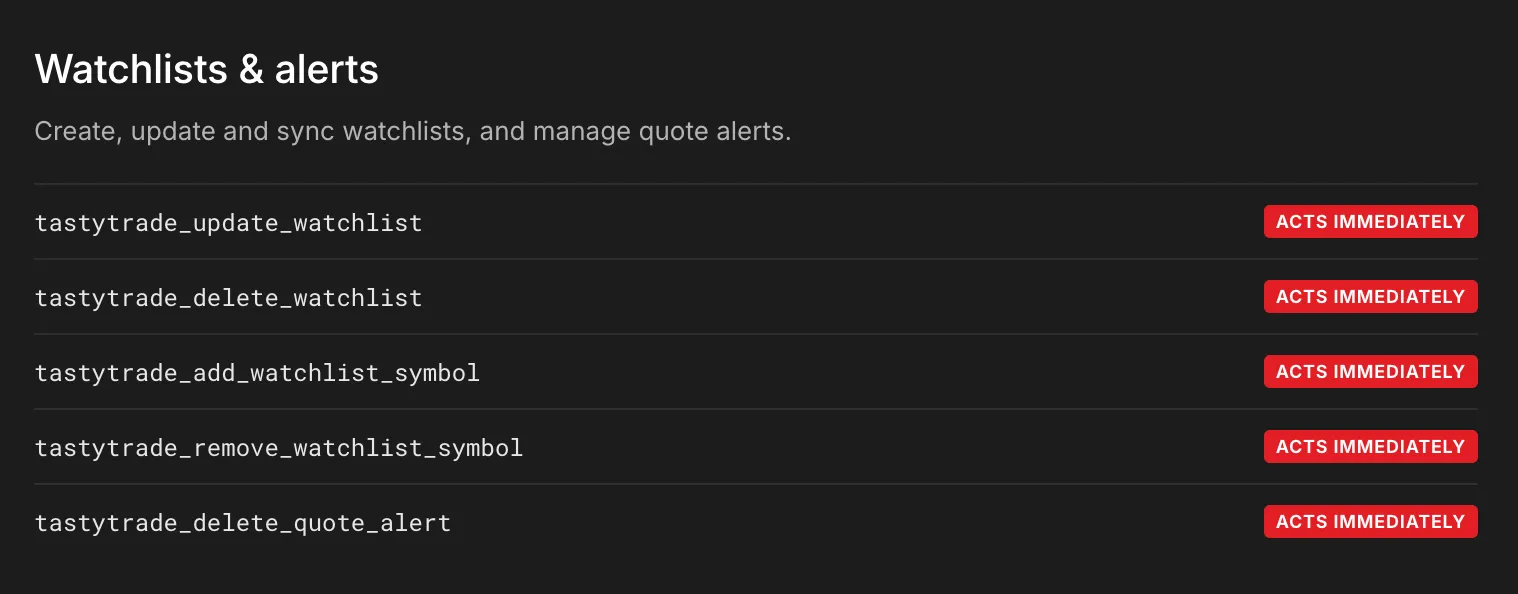
Build and maintain watchlists and quote alerts, so your assistant keeps watch on exactly what you tell it to.
See the market the way your account does, with live quotes, snapshots, metrics, dividends, and earnings pulled straight from live data.
Find any equity, option, futures, or crypto instrument and pull a full option chain in one ask, no separate lookup screens needed.
Check balances, buying power, and net liquidating value across every account your credentials reach.
Review what you're holding with open positions and transaction history explained in plain language.
Go from idea to order with a built-in review order ticket. Every order shows you a 60-second preview. From there, you can submit, edit, replace, or cancel it, single-leg or complex.
Build and maintain watchlists and quote alerts, so your assistant keeps watch on exactly what you tell it to.
Built-in Features
Start Building With tastytrade's MCP
FAQs
Yes. The MCP server connects to your real tastytrade account through the same Open API that powers tastytrade's own platforms. Opening an account is free, and you don't need to fund it just to set up the MCP connection.
No. The MCP server authenticates with OAuth2, not your login. You generate a client ID, client secret and refresh token from your account settings, and the MCP server uses those instead of your password. Access tokens are short-lived, good for 15 minutes each, so even a leaked token has a small window.
Yes, there's a sandbox environment for testing, though it has real limits of its own. The sandbox doesn't serve live market data, and it resets every 24 hours, so it's suited to testing the MCP connection and order flow rather than live quotes.
Any MCP-compatible client. Claude Desktop and Claude Code are the most common, and tools like Cursor, Zed and Continue connect to the MCP server the same way.
There are a few limitations to know before you connect:
- Confirmation isn't a second pair of eyes. The same assistant that places the order also confirms it, not a person reviewing it first.
- Some actions skip confirmation entirely and happen right away, including canceling an order, deleting a quote alert, and changing a watchlist.
- The connection is built for one person at a time. It isn't designed for managing multiple accounts or users at once.
First ensure you have an active tastytrade account. Then visit the tastytrade's MCP server docs for the full install and configuration walkthrough, including how to generate the OAuth credentials you'll need.
tastytrade does not endorse or recommend any third-party AI System connected via the MCP server, and tastytrade is not responsible for any information, output, or trading activity generated by or through your connected AI System. You are solely responsible for any actions taken in reliance on information generated by your AI System and for any investment or trading decisions made using it. tastytrade does not guarantee the accuracy, completeness, or suitability of any of your AI generated output.
The software is provided as is, without warranty of any kind. Language models are non-deterministic and may take actions their operator did not intend. No tool, resource, prompt or example is a recommendation to buy or sell anything, and nothing here is financial advice. For more information read tastytrade's MCP server disclosure.